LMC R18 vs R17: What Actually Changed
R18 is an interface and usability release, not an image quality upgrade. Here is every change Hasli lists, and what it means in daily shooting.
Read the guideThe LMC R18 download page lists the file details, the six package variants and the install steps. Read the APK Details table before installing, so the file on the phone can be checked against the release listing.
Preparing your download. The button appears when the countdown ends.
No file is linked on this page yet. The download file is added by the site owner, and this page will show the working button once it is attached.
No file is linked on this page yet. The details in the APK Details table below describe the verified release file, so the file can be checked against the release listing once it is attached. Nothing in the table starts a download.
| App Name | LMC R18 |
|---|---|
| Version | R18 |
| Base Version | Google Camera 8.4.300 |
| Package Name | com.google.android.GoogleCameraEngR18F1 |
| Developer | Hasli |
| File Size | 132.1 MB |
| Requires Android | Android 10 or newer |
| Category | Photography |
| Price | Free |
If the standard variant refuses to install because of a package conflict, the Snapcam, Aweme, Scan3D, Google Lens and Iris variants carry the same build under different package names. Pick the one that installs cleanly and keep the stock camera app as a fallback.
Six variants share the same R18 build and differ in package name: the standard variant, Snapcam, Aweme, Scan3D, Google Lens and Iris. The standard variant suits most phones. The others exist for phones where the standard package name conflicts with an app already installed. The build, the modes and the configs are the same across all six.
The download page links the LMC R18 install file for Android. The file details are listed in the APK Details table on this page so the file can be checked after it arrives.
Start with the standard variant. The Snapcam, Aweme, Scan3D, Google Lens and Iris variants exist for phones where the standard package name conflicts with an app already installed. They share the same R18 build and differ in package name.
A config file is optional but strongly recommended. Without one the app shoots with default settings, which rarely suit a specific phone. Copy a config for the exact model into the LMC8.4 folder and load it with a double tap on the black area around the shutter button.
No. It installs as a separate app with its own package name, and the stock camera stays installed and untouched.
R18 is an interface and usability release, not an image quality upgrade. Here is every change Hasli lists, and what it means in daily shooting.
Read the guide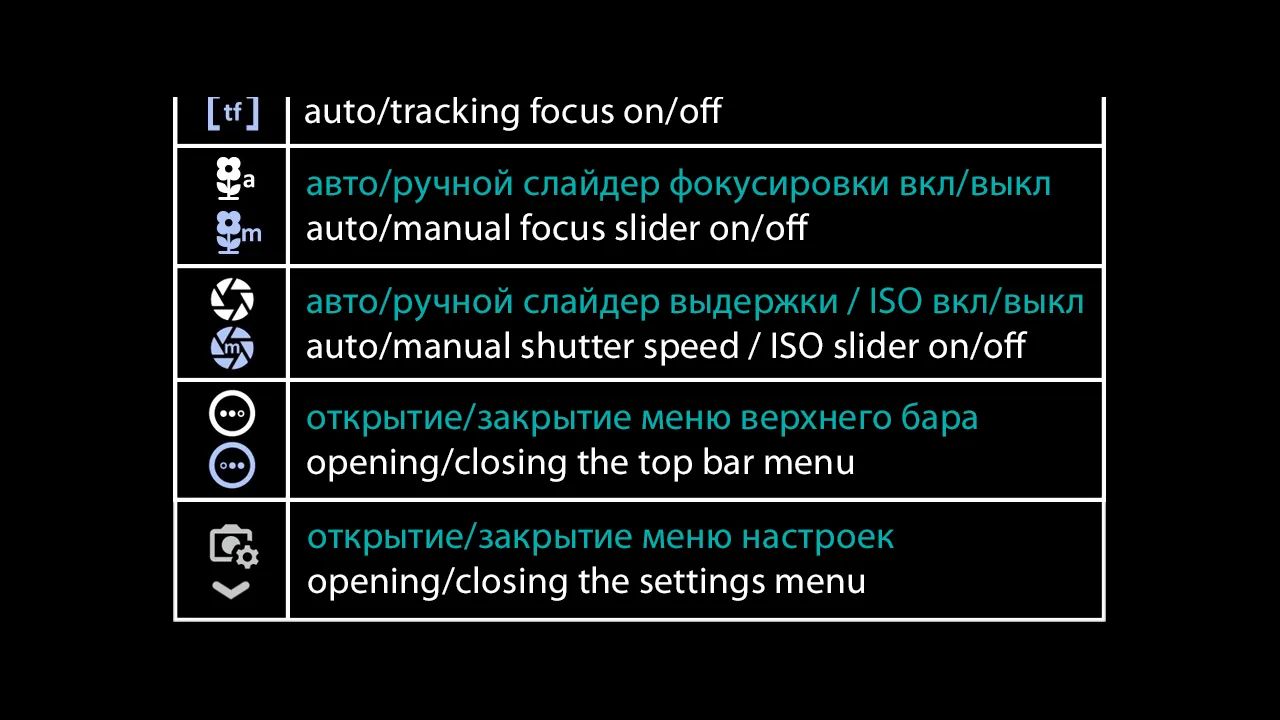
An XML config is the difference between a GCam port that works and one that only opens. What a config sets, where it lives, and how to load it.
Read the guide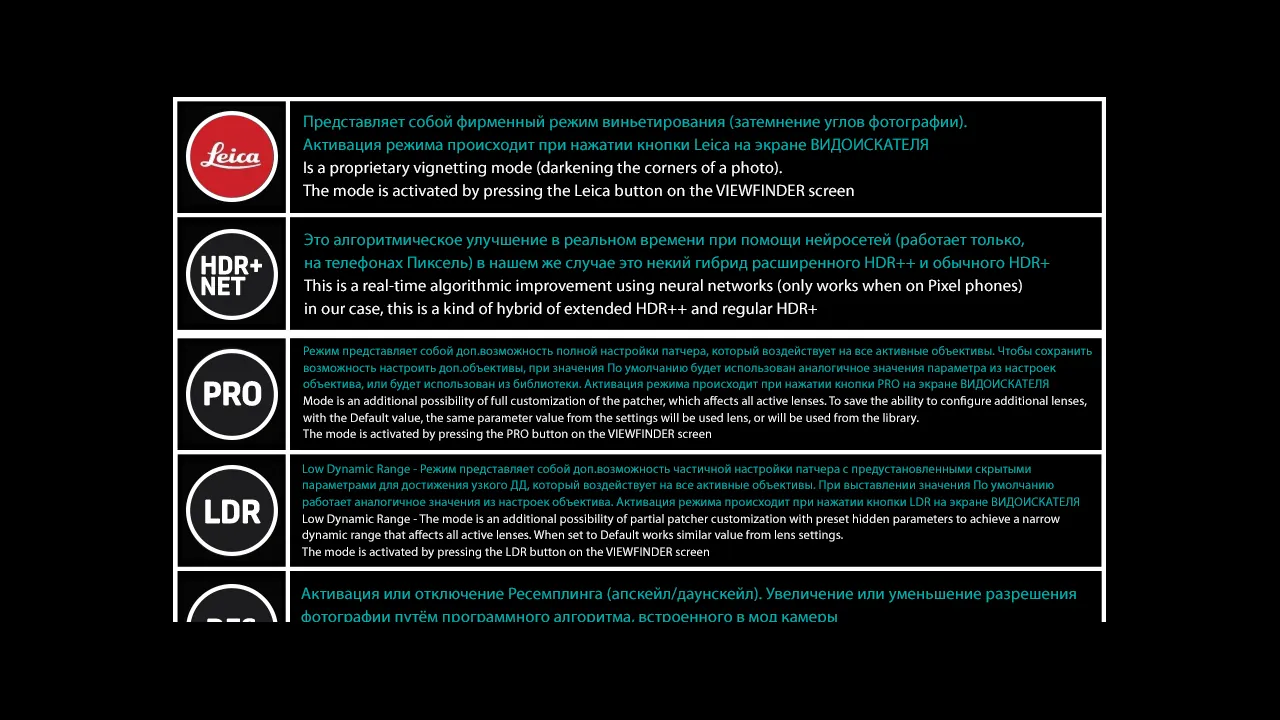
Install the port, copy a config for the exact model, and test every lens. The full install flow with the checks that catch problems early.
Read the guide
Crashes, black viewfinders, missing lenses and configs that will not load. Work through the causes in order instead of reinstalling blindly.
Read the guideOur testing process is described in full on the How we review APKs page.